
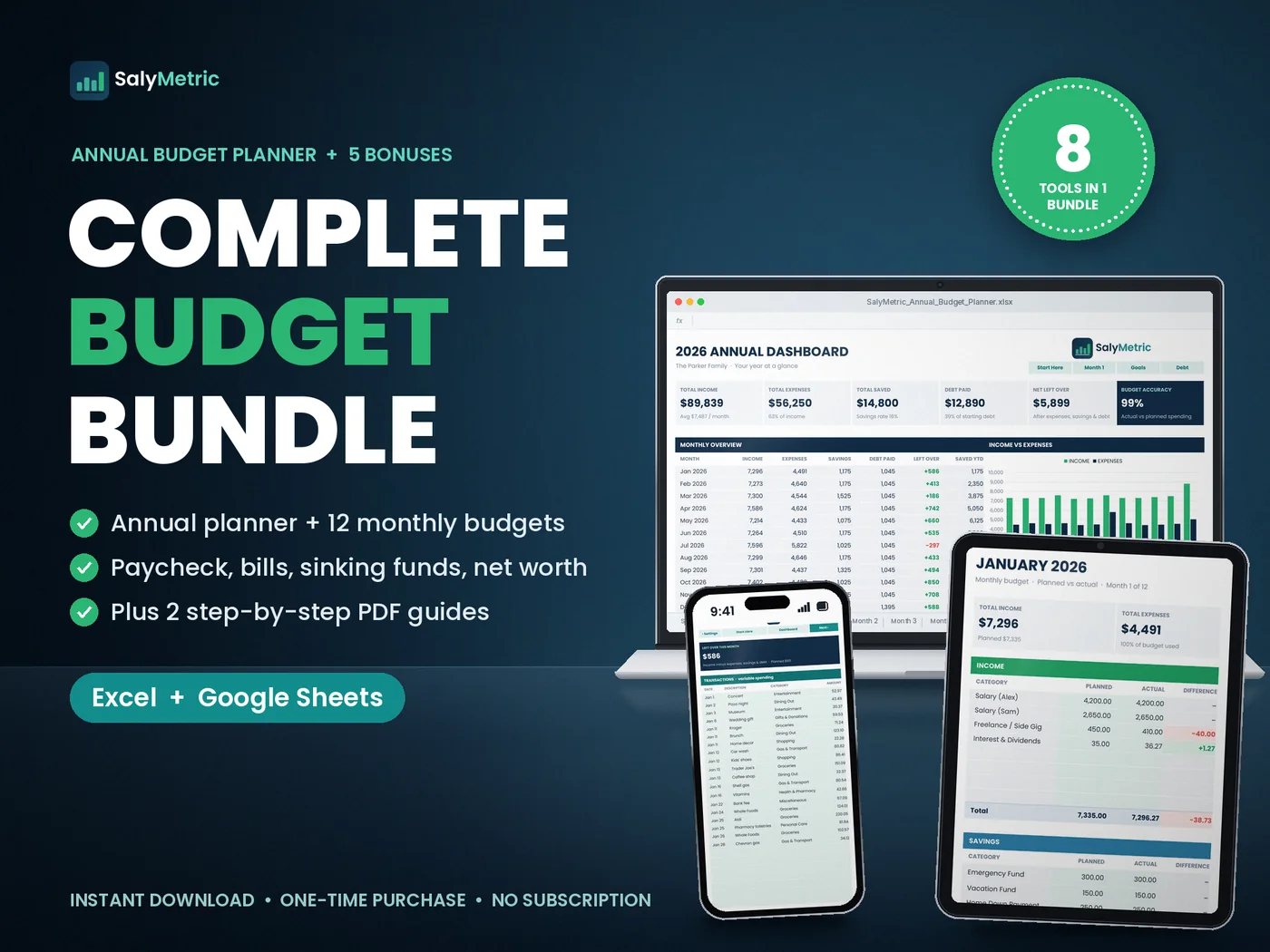
Complete Budget Bundle
8 budget tools and 2 PDF guides in one instant download. The math is done for you.
- Instant download right after payment (.zip, 3.1 MB)
- Excel 2016+ / Microsoft 365 and Google Sheets
- One-time payment, no subscription
- Free updates when the files are improved
- 14-day fix-or-refund if the files are faulty (details)
8 tools, 26 tabs, 3,100+ formulas
Every spreadsheet comes in two versions: one with example data so you can see how it works, and a blank one for your numbers.
Annual Budget Planner
17 tabs: an annual dashboard with 6 KPI cards and 4 charts, plus 12 monthly budgets with planned vs actual and color coding.
Transactions log
A log on every month. Daily spending adds up by category automatically.
Savings Goals
Targets, dates, progress bars and exactly how much to save each month.
Debt Payoff
Balances with interest, % paid off, months left and your estimated debt-free date.
Paycheck Budget
Plans all 26 biweekly paychecks and matches each bill to the paycheck it falls under. Flags 3-paycheck months.
Sinking Funds
Up to 10 funds for car repairs, holidays, insurance and more, with a per-month amount for each.
Bill & Subscription Tracker
A bill calendar for any month, a payment checklist and your true monthly cost of subscriptions.
No-Spend Challenge
A full-year no-spend calendar plus a 30-day challenge board with progress.
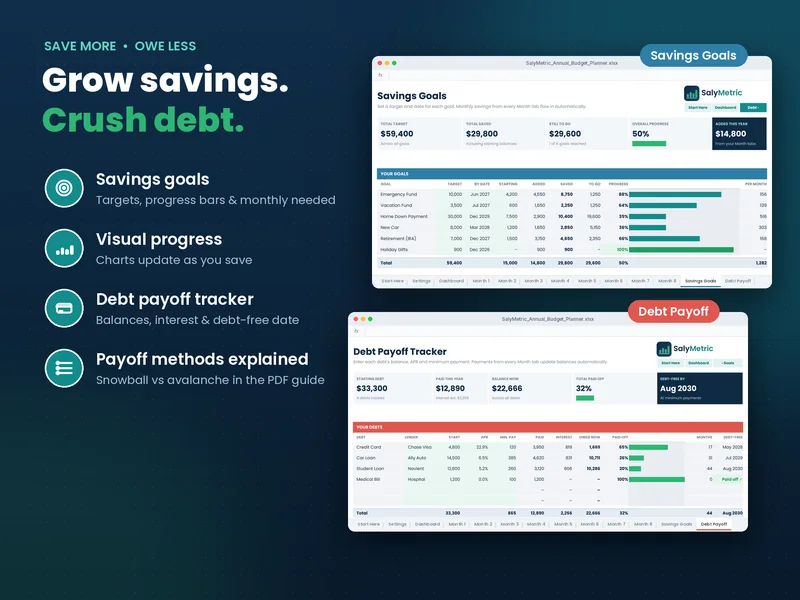
Know when you'll be debt-free
List each debt with its balance and interest rate. The tracker shows % paid off, months left and an estimated debt-free date. The goals tab tells you exactly how much to set aside each month to hit each target on time.
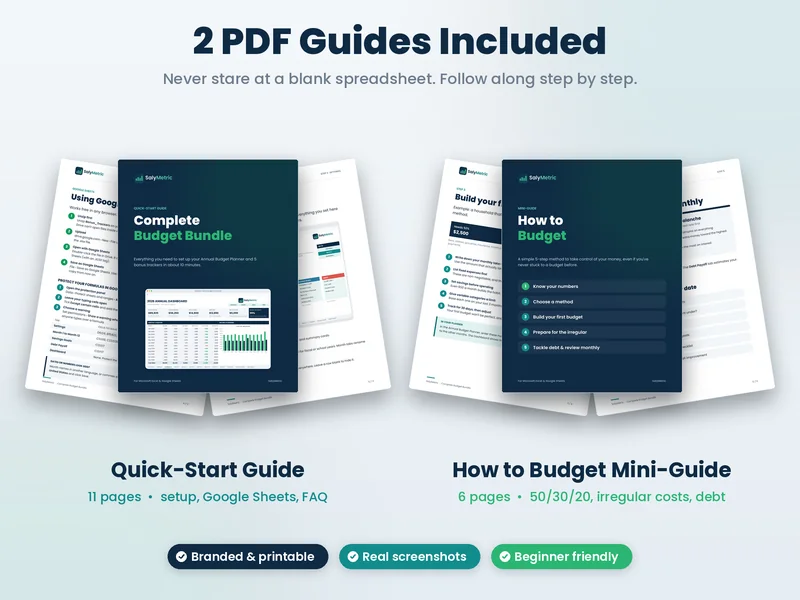
New to budgeting? Start here
The Quick-Start Guide walks you through setup in Excel or Google Sheets. The How to Budget Mini-Guide explains 50/30/20 and other methods, irregular expenses, and debt snowball vs avalanche in plain English.
Files and compatibility
| SalyMetric_Annual_Budget_Planner.xlsx | Annual planner with example data |
| SalyMetric_Annual_Budget_Planner_BLANK.xlsx | Blank planner, ready for your numbers |
| Bonus_Trackers/ (10 .xlsx) | Paycheck Budget, Sinking Funds, Net Worth, Bill & Subscription, No-Spend Challenge, each with example + blank |
| SalyMetric_Quick-Start_Guide.pdf | 10 pages: setup and a walkthrough of every tool |
| SalyMetric_How_to_Budget_Mini-Guide.pdf | 6 pages: a simple 5-step budgeting method |
| Works with | Microsoft Excel 2016 or newer / Microsoft 365 (Windows & Mac) and Google Sheets in any browser. Not made for Apple Numbers. |
| Font | Poppins (free). Built into Google Sheets; for the exact look in Excel install it free from Google Fonts. Otherwise Excel uses a similar font. |
| Delivery | Digital download only. Nothing is shipped. |
| License | Personal use. Please don't resell or share the files. |
Before you buy
What exactly do I get?
One .zip download with 5 items: the Annual Budget Planner (with example data), a blank copy of the planner, a Bonus_Trackers folder (5 trackers, each in an example and a blank version, so 10 .xlsx files), the 10-page Quick-Start Guide (PDF) and the 6-page How to Budget Mini-Guide (PDF).
Does it work in Google Sheets?
Yes. Upload the .xlsx file to Google Drive and open it with Google Sheets (free with a Google account). The Quick-Start Guide shows the steps. Charts and some formatting can look slightly different in Google Sheets than in Excel.
Which Excel versions are supported?
Microsoft Excel 2016 or newer and Microsoft 365, on Windows and Mac. It isn't made for Apple Numbers. It works best on a computer; phone apps are fine for quick updates.
How do I receive the files?
Right after payment, Stripe sends you back to your order page with a download button. That page keeps working for 30 days, so you can download again on another computer. Each download button creates a fresh, secure link that is valid for 15 minutes.
Is this a subscription?
No. You pay once and the files are yours to use. Change the year in Settings and reuse the planner next year.
Can I use my own currency and start month?
Yes. Set any currency symbol ($, €, £, R$, A$ …) and start your budget year in any month.
Will I break the formulas?
Formula cells are protected so you can't overwrite them by accident. Input cells are mint green and always editable. There's no password, so you can unprotect any sheet if you want to customize it.
Is my financial data private?
Yes. Everything stays in your own file on your computer or your own Google Drive. There's no app, no account and no bank connection.
Do I get updates?
If we fix a bug or improve the files, buyers can get the latest version for free: email Salylucendrino@gmail.com with your receipt and we'll send it.
What is your refund policy?
Because this is an instant digital download, we don't offer refunds for change of mind. If the files are faulty or not as described and we can't fix the problem, we'll refund you in full within 14 days of purchase. Full details are on the refund policy page.
Is this financial advice?
No. These are personal budgeting tools and educational guides. For advice about your situation, talk to a qualified professional.
$16.24 · instant download