
Your whole money system, in one spreadsheet bundle.
Plan your year, budget every paycheck, never miss a bill and watch your debt shrink. Type your numbers in the mint cells; the totals, charts and progress bars update on their own.
- Annual planner with 12 monthly budgets, goals and debt payoff
- Paycheck budget, sinking funds, bills, net worth and no-spend trackers
- Plus 2 step-by-step PDF guides
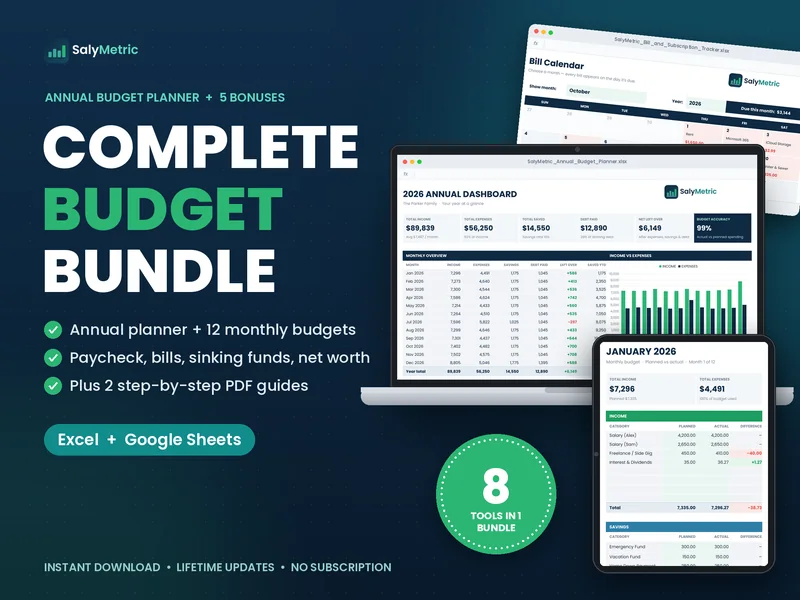
8 money tools and 2 guides that work together
Every file shares the same clean design, so moving from your annual plan to this week's paycheck feels like one system, not eight random templates.
Annual Budget Planner
17 tabs: an annual dashboard with 6 KPI cards and 4 charts, plus 12 monthly budgets with planned vs actual and color coding.
Transactions log
A log on every month. Daily spending adds up by category automatically.
Savings Goals
Targets, dates, progress bars and exactly how much to save each month.
Debt Payoff
Balances with interest, % paid off, months left and your estimated debt-free date.
Paycheck Budget
Plans all 26 biweekly paychecks and matches each bill to the paycheck it falls under. Flags 3-paycheck months.
Sinking Funds
Up to 10 funds for car repairs, holidays, insurance and more, with a per-month amount for each.
Bill & Subscription Tracker
A bill calendar for any month, a payment checklist and your true monthly cost of subscriptions.
No-Spend Challenge
A full-year no-spend calendar plus a 30-day challenge board with progress.
Quick-Start Guide (PDF, 10 pages)
Set up in Excel or Google Sheets and tour every tool with screenshots, plus an FAQ.
How to Budget Mini-Guide (PDF, 6 pages)
A simple 5-step method: know your numbers, pick a method like 50/30/20, build your first budget, plan irregular costs, and choose snowball or avalanche.
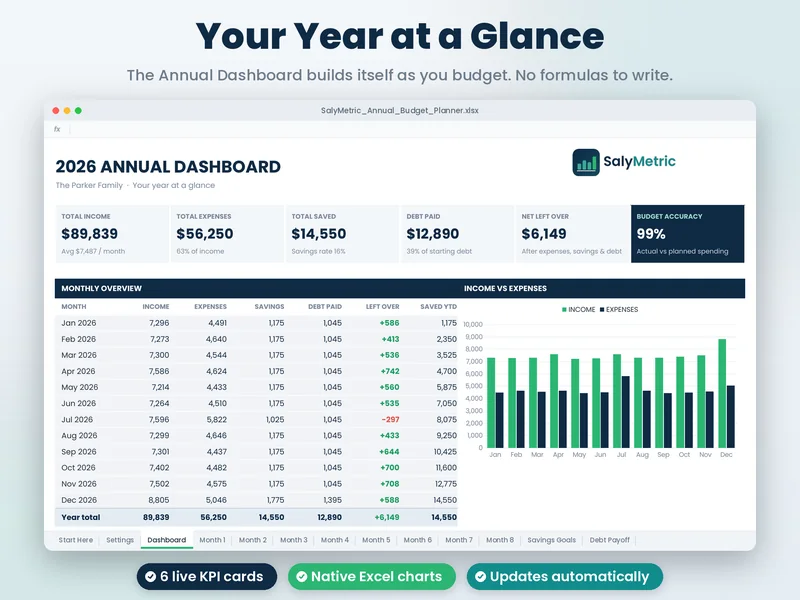
See your whole year on one screen
Six KPI cards, a month-by-month overview, a full category breakdown and four charts. Everything fills in from your monthly budgets.
- Total income, expenses, savings and debt paid
- Budget accuracy: how close actual spending was to plan
- Income vs expenses chart for all 12 months
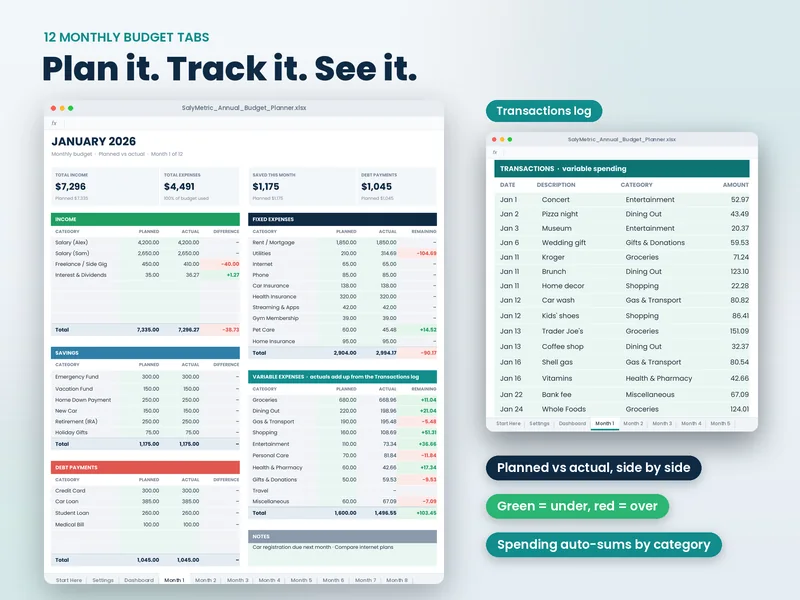
Plan, then compare with what really happened
Each month has planned vs actual for income, fixed and variable expenses, savings and debt. Green means under budget and red means over, so you see problems at a glance.
- A transactions log that adds up by category
- Rename every category in Settings
- Start your year in any month, in any currency
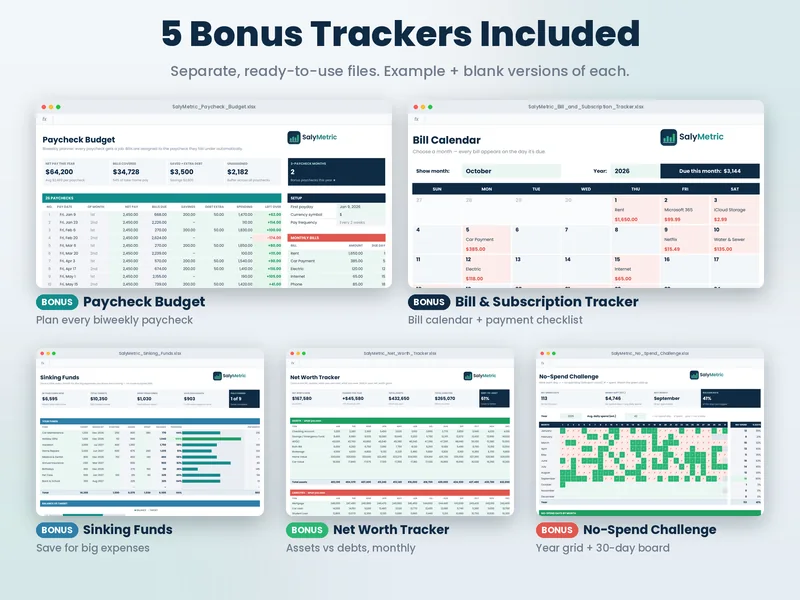
The tools most budgets forget
Biweekly paychecks, once-a-year bills and subscriptions are where budgets usually break. The bonus trackers handle exactly those.
- Paycheck Budget for all 26 paychecks, with 3-paycheck months flagged
- Sinking Funds for big, predictable expenses
- Bill calendar, net worth and a no-spend challenge
Set up in about 15 minutes
Download
Pay securely with Stripe and download your .zip straight away from your order page.
Open
Open the files in Excel, or upload them to Google Drive and open with Google Sheets.
Enter your numbers
Follow the Start Here tab. Type into the mint cells and everything else updates on its own.
Your budget, on your terms
No subscription
Pay once. Change the year and reuse it. No monthly app fee eating into the money you're trying to save.
Private by design
No bank login, no account, no tracking. Your numbers live only in your own file.
Hard to break
3,100+ formulas are already written and protected. You only fill in your numbers.
Everything in one download
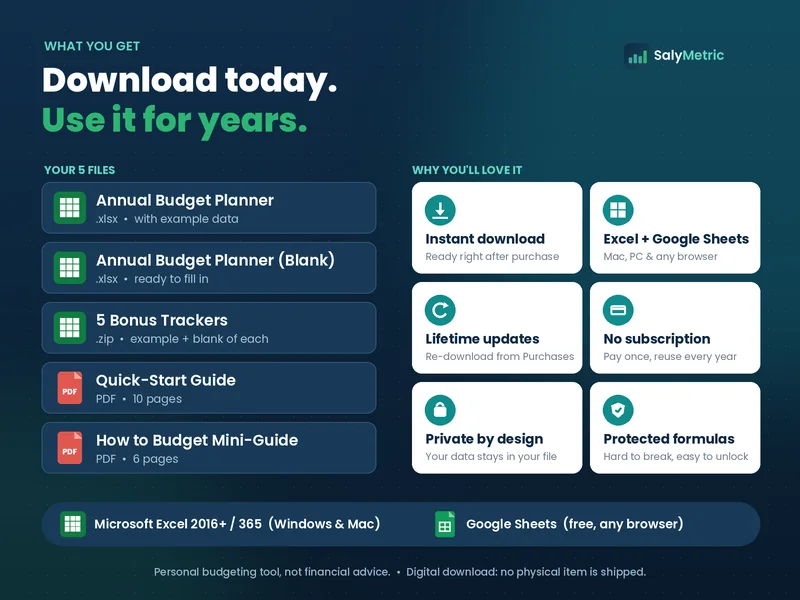
- Annual Budget Planner (example + blank)
- 5 bonus trackers (example + blank of each)
- Quick-Start Guide and How to Budget Mini-Guide (PDF)
- Free updates when files are improved
Secure checkout by Stripe · Instant download · Prices in USD
Learn the methods behind the bundle
How to Make a Budget Spreadsheet (Step by Step, Excel or Google Sheets)
Build a working monthly budget spreadsheet in about an hour: the 4 sections you need, the exact formulas, and how to track actual spending against your plan.
Read the guide →Budget methodThe Paycheck Budget Method: How to Budget Biweekly Pay
Paid every two weeks? Learn the paycheck-to-paycheck budget method: assign every bill to a specific paycheck, handle 3-paycheck months, and stop running short before payday.
Read the guide →Saving strategySinking Funds Explained: How to Stop Big Expenses From Wrecking Your Budget
What sinking funds are, how they differ from an emergency fund, 12 common categories, and the simple formula to work out how much to save each month.
Read the guide →Questions, answered
What exactly do I get?
One .zip download with 5 items: the Annual Budget Planner (with example data), a blank copy of the planner, a Bonus_Trackers folder (5 trackers, each in an example and a blank version, so 10 .xlsx files), the 10-page Quick-Start Guide (PDF) and the 6-page How to Budget Mini-Guide (PDF).
Does it work in Google Sheets?
Yes. Upload the .xlsx file to Google Drive and open it with Google Sheets (free with a Google account). The Quick-Start Guide shows the steps. Charts and some formatting can look slightly different in Google Sheets than in Excel.
Which Excel versions are supported?
Microsoft Excel 2016 or newer and Microsoft 365, on Windows and Mac. It isn't made for Apple Numbers. It works best on a computer; phone apps are fine for quick updates.
How do I receive the files?
Right after payment, Stripe sends you back to your order page with a download button. That page keeps working for 30 days, so you can download again on another computer. Each download button creates a fresh, secure link that is valid for 15 minutes.
Is this a subscription?
No. You pay once and the files are yours to use. Change the year in Settings and reuse the planner next year.
Can I use my own currency and start month?
Yes. Set any currency symbol ($, €, £, R$, A$ …) and start your budget year in any month.